
Monitor refresh rate
Checks whether the monitor is running below the rate it supports.
JBooster checks settings that affect FPS, stability and latency. You decide what to fix, and you can undo it later.
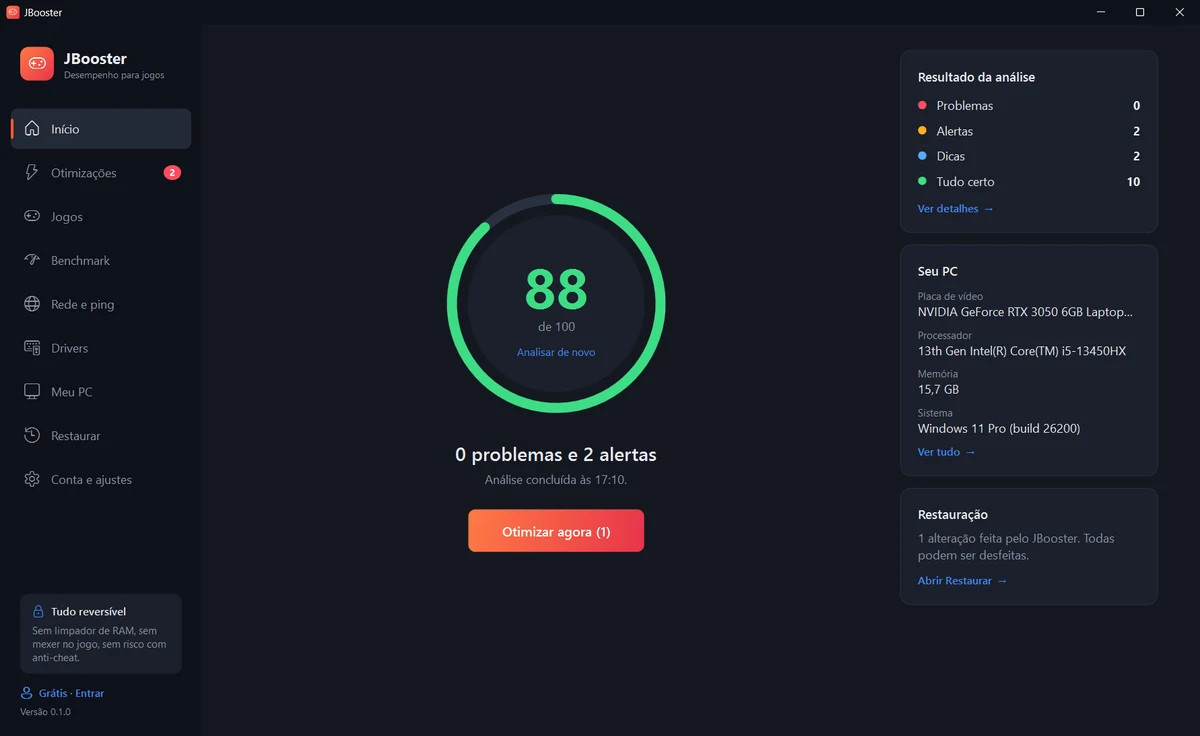
Some examples found by the analysis.
Checks whether the monitor is running below the rate it supports.
Spots settings such as single channel and disabled XMP/EXPO profiles.
Shows when the battery or power mode may be limiting performance.
Shows the installed version and when an update is available.
Checks capture features that may cost performance.
Shows when a game is on a hard drive and an SSD is available.
JBooster measures the direct path and the path through the Game VPN to show whether latency differs before you use the feature.
No. Optimizations are made in Windows and in JBooster's own settings; it doesn't inject code or change game files.
Not the way "RAM cleaners" do: emptying the Windows cache by force causes stutters. JBooster shows what uses the most memory, closes it with one click and frees what programs in the background aren't using, keeping them open.
No. The analysis and the main diagnostics can be used for free.
Yes. Changes applied by JBooster are recorded in the Restore area.
Other platforms from the company behind JBooster.
Free books to read online: great classics and independent authors. All you need is a free account.
Learn more →Professional email with your own domain, plus calendar and video meetings. Free plan to get started.
Learn more →Custom software for your company: systems, integrations and ongoing support.
Learn more →Run the analysis before changing anything.
Download for free

